Using Claude Code for Product Design
January 16, 2026
Agentic coding tools had a moment at the end of 2025. From @karpathy saying he felt behind as a programmer, to @bcherny showing off his Claude Code workflow. This shift has kept me thinking about how designers could be leveraging fleets of AI agents to do their work.
While I've had Claude Code installed for 7-8 months, I've never really pushed myself to rely on it and push the boundaries of what I ask models to do. This week I focused on using it frequently. Here is a short summary of some of the more wild things I tried, ending on how I set up my environment to be more productive.
What I Tried
- Autonomous prototyping I wasn't able to get this to work, but a fun experiment worth further exploration.
- Environment setup skills A highlight of this week, a future way to unlock AI for more team members.
- UX copywriting a great use case improved by MCPs and specific context.
Autonomous Prototyping
One of my dream use cases for AI was to ask claude to prototype while I'm at meetings, which is a lot. While I'm impressed at Opus 4.5 and GPT 5.2's ability to generate UI Code, I've not quite been able to get it to fully understand a design system and generate UI/UX like I would.
To attempt this use case I built a custom plugin called /prototype-loop that allows me to start an autonomous /ralph-loop loop that forces Claude to think and keep iterating for a set amount of time.
❌ This did not work as expected, some of the prototypes that got built were horribly off track, but it was a fun experiment and I'm going to keep exploring this use case.
Environment Setup for Others
A big goal of mine for the year is to help level up Designers and PMs to start prototyping with AI. To help with this I worked with Claude to build a /setup skill that configures the basic setup environments for prototyping.
SKILL.MD
---
description: Setup Development Environment for Designers and PMs
globs:
alwaysApply: false
---

# Development Environment Setup

## Goal

Get designers and engineers ready to prototype with AI by configuring:
1. **SSH Key** - For git access
2. **N** - Node.js version manager for switching between project requirements
3. **Node.js** - Required runtime (any version; 20.19.0 installed if missing)
4. **pnpm** - Fast, disk-efficient package manager (any version; 10.x installed if missing)
5. **Shell Prompt** - Display current path and git status (optional)
6. **asProto Shortcut** - Quick command to scaffold new prototypes (optional)

## Trigger
User invokes `/setup` or asks about setting up their development environment.
This will take quite a bit of work but seems like a promising use case that might even scale to more complex environments.
One note: I wanted this to work across both Claude and Cursor, to achieve this I leveraged the agentSkills open format within the app specific directory I just tell the model to look for a root skill.md file.
├── .claude
│   └── commands
│       └── setup.md
├── .cursor
│   └── commands
│       └── setup.md
└── skills
    └── setup.md
UX Copywriting
This was a bright spot for the week. I found myself frequently asking Claude to write and explore copy for me. This was helped by including additional context from Linear and Notion. The workflow was simple:
- Open Claude
- Paste a screenshot or Figma
- Ask Claude to write or iterate on the copy for me.
How I Setup My Agents
I also focused on giving Claude access to more tools to increase its context and capabilities. Here are a few things I tuned.
Push Notifications
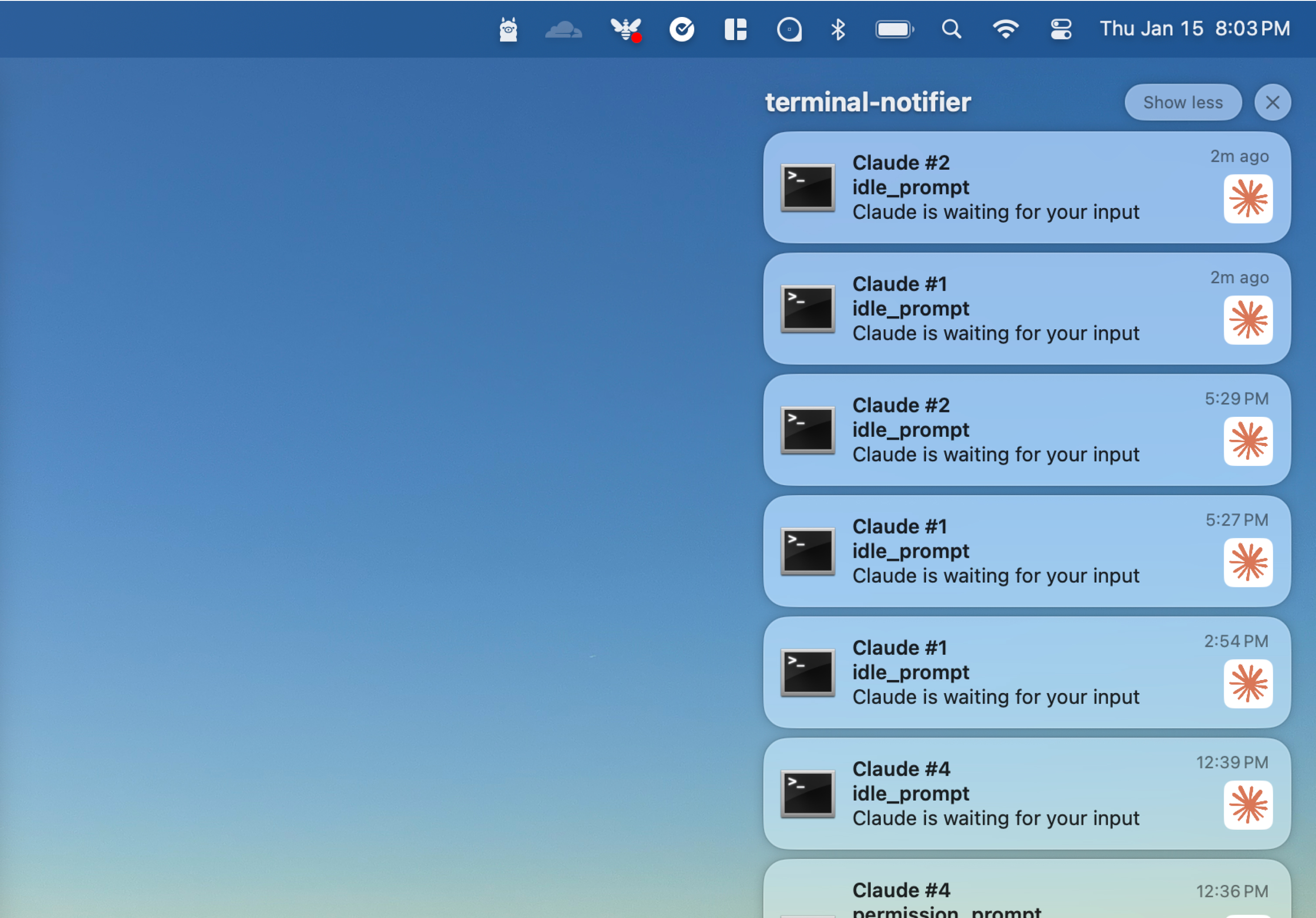
Based on Boris's setup I wrote my first Claude hook that sends a push notification when it needs feedback. This is a mix of shell/AppleScript. Clicking the notification opens my terminal and the message includes the tab # so I can jump to the right place.
Connected Tools
I wanted to be very careful about the data I gave Claude access to, but also wanted it to have more context and capabilities I spent some time exploring Claude MCPs. Beyond built-in capabilities, I've been exploring Notion workflows and found it useful to have a 2-way sync with my AI tools.
| Tool | Description |
|---|---|
| Linear | Our AI Design team is using Linear for tracking our work and giving status updates. |
| Notion | I gave Claude a "hub" to read and write to so I could control access. |
| Figma | The Figma MCP is a basic tool giving access to Figma layers and screenshots. |
| Context7 | Most of the time I don't need this but it's been helpful when models start to make up API calls or library calls. |
| Puppeteer | Giving Claude access to a sandboxed Google Chrome browser. This is an area of more exploration. |
Permissions & Rules
Claude lets you Allow/Deny specific commands, which makes the model far more autonomous. My approach: use Claude for a few hours, then enter plan mode (SHIFT + <tab>) and ask it to recommend defaults based on your usage. Here's the exact planning prompt I used:
I would like to setup some better default allowed commands I would think you should be able to find, ls, grep, web search any other commands that would make ux smoother with claude
The key insight here is that you can use agentic tools to configure themselves. Don't learn complex syntax, just ask the model to set it up for you.
What's Next
The biggest shift in my thinking this week: start asking AI models to do more for you. Especially if you are a designer or product manager that isn't the most technical person you can leverage AI to help you do the work you can't.
Another eye-opener was the power of MCP's and how they magically improve the usefulness of AI. I've no doubt that by the time 2026 is over I'll be just letting the agents run while I focus on other work.