Notion to Prototype: A multi step AI workflow for prototyping
December 30, 2025
What I built
Most AI systems today dynamically plan and execute tasks. I explored the opposite: a fixed, deterministic workflow linking multiple agents into a repeatable pipeline using useWorkflow (Vercel's multi-step workflow library).
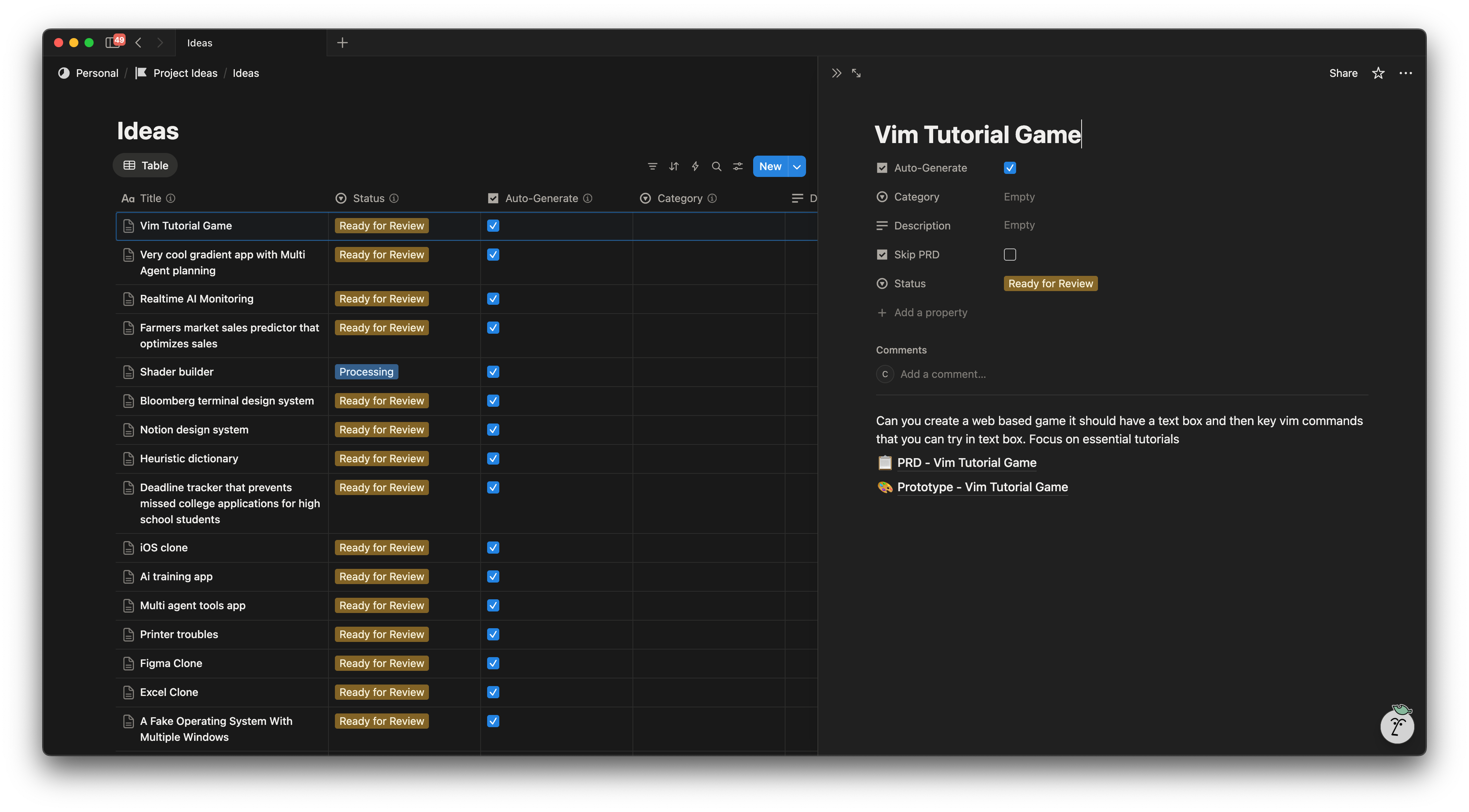
I built a Notion database where I capture raw ideas, then automatically trigger a workflow that runs through a sequence of AI steps, producing a finished prototype in about four minutes.
How it works
- Add a row in Notion: I add a row like "Excel clone" with optional context in the body of the Notion page.
- Notion Webhooks trigger the workflow. I check a column "Auto-Generate".
- PRD generation: the workflow sends the title/body to an AI model and turns the rough idea into a short PRD: problem, target user, features, user flows, success criteria, and out of scope. This is added as a Notion subpage in a workflow step.
- HTML prototype generation: it generates a runnable prototype (HTML/CSS/JS) published as a Vercel blob. I added a new subpage to the original row and linked to the prototype.
- Status: it marks the "Ready for Review" in the original row.
If you want to explore the code and more details, you can see the prompt library and the useWorkflow code as well.
In terms of models, I built a small library so I could switch between OpenAI, Anthropic, and Google models as needed. For the examples below I used Gemini 3 gemini-3-pro-preview for both PRD and prototype generation.
Examples Generated
I was pretty impressed with the "clone" examples. They felt like a new way to sketch a starting point and iterate.
1) “Excel Clone”
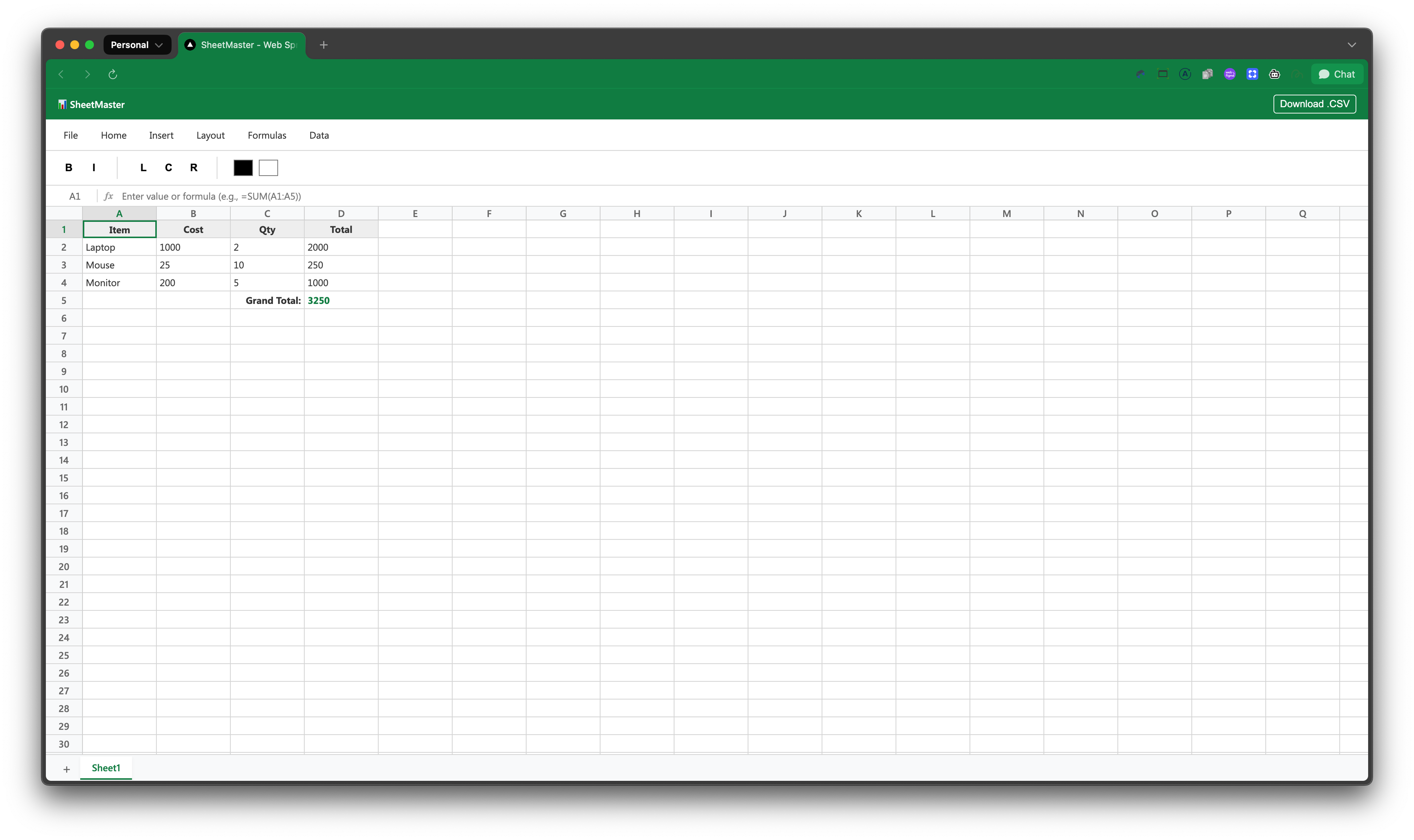
Not totally Excel-quality, but functional for something generated with minimal input.
2) “Figma Clone”
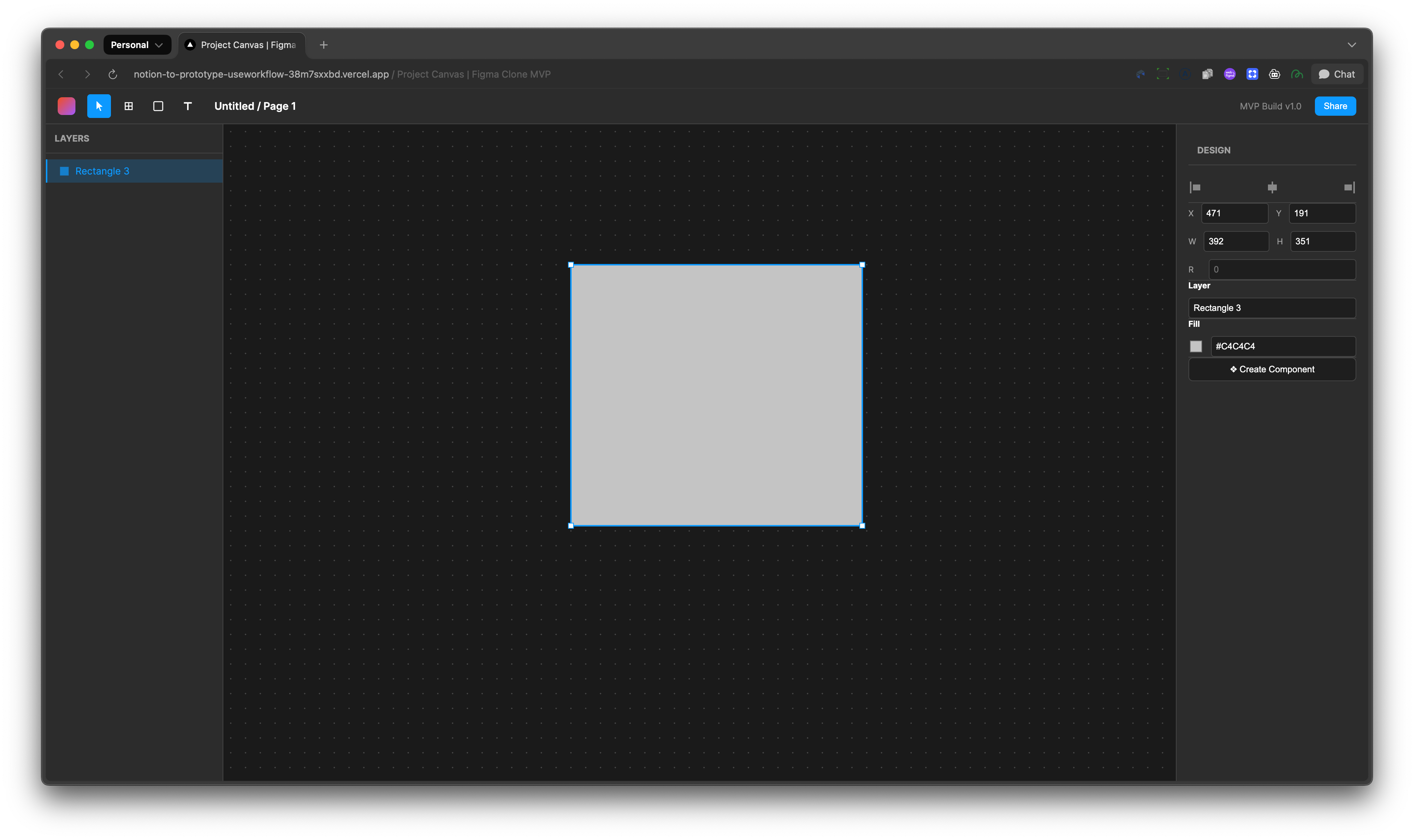
A canvas-based design tool prototype.
Both of these were created super fast, along with documentation, and they worked. It's like a new way to sketch and iterate on ideas. Very repeatable and scalable.
Key Takeaways
- High fidelity, fast prototypes: Using this approach, I'm able to build prototypes purely from Notion.
- PRD-first helped improve quality: forcing the PRD step improved the prototype output and could be an artifact for future work and exploration.
- Mobile-first input: Capturing the ideas from my phone and letting the models work was a really nice workflow.
- Bigger vision, team context: Seems like this approach could be applied to prototyping in a real codebase with added context.
- UI felt a little generic, but could be improved with more context or instructions.
What I'm thinking about & Next Steps
This is a toy project, but I see potential to turn this into a prototype generation tool for a team: workflows adding steps that pull team-specific context (design system, system documentation, user research, etc.), then leveraging more advanced coding tools like Claude Code, Cursor Agents, or Codex to work in a real codebase, not just static prototypes.
Imagine a design team with an always-on, "prototype factory" that matches how they like to work. Not "one prompt that generates one thing," but a library of steps in a robust pipeline. Teams who can tune the workflow, context gathering and request multiple iterations that feels a bit unfair & futuristic.
Closing
I'm sharing the code for the Notion to Prototype workflow. Most of this repo is vibe coded with a mix of Composer and Opus, so I'm not planning on maintaining it, but thought it might be helpful to look through the code and see how I built it.